Every appointment starts with a message.
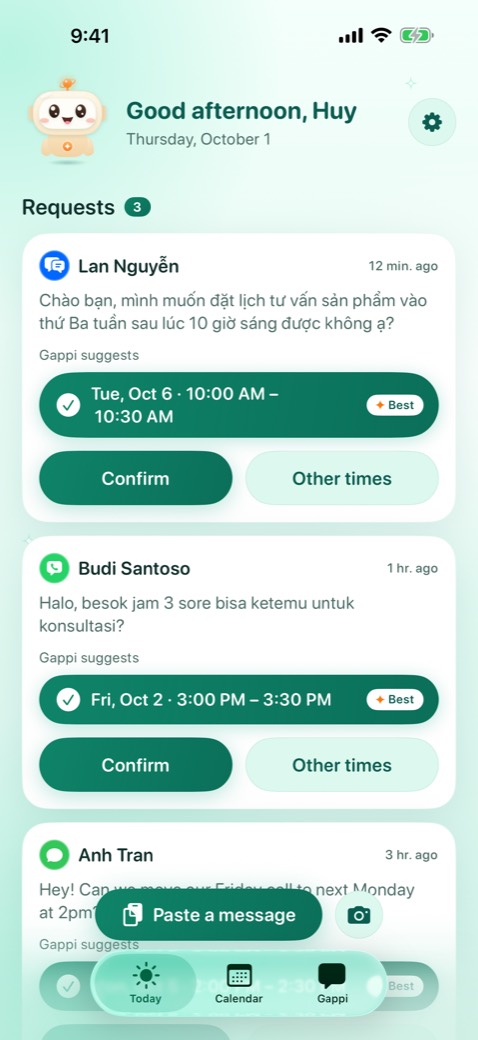
Gappi reads the request, finds a free time in your calendar and drafts the reply. You tap Confirm.
Free. For iPhone with iOS 17 or later.
Lan · ZaloHi, can we meet tomorrow at 3pm?
From a message to a booked time in five steps
The same steps you do by hand today, done in a few seconds.
A message arrives
From Messages, WhatsApp, Zalo, LINE, Telegram or Messenger, or a screenshot of any chat.
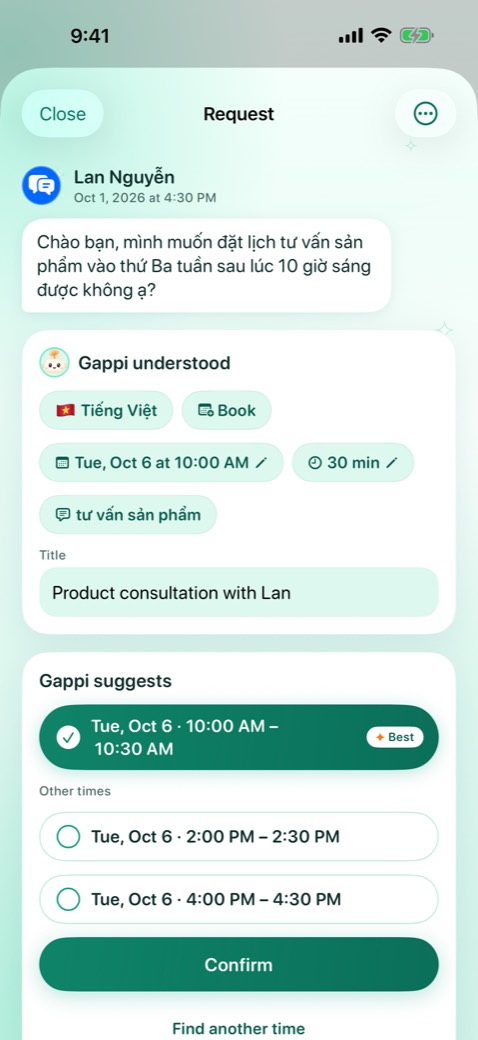
Gappi understands it
The day, the time, how long and who. In English, Vietnamese or Indonesian, with short forms and missing accents.
It checks your free time
Across all your calendars, and the calendars of anyone you invite.
It suggests the best times
The time they asked for first. If that is taken, the closest time that day, then the next days.
You tap Confirm
Gappi books it, sets a reminder and drafts a friendly reply in their language.
Understands the way people really text
Short forms, missing accents and everyday phrasing are fine. These are real messages Gappi reads correctly.
chiều mai 3h họp được không?Gappi readsKak, bsk jm 9 pagi bisa pasang behel?Gappi readsCan we move our Friday call to next Monday at 2pm?Gappi readsWorks with the apps you already use
iPhone apps can't read your chats on their own. Gappi uses the ways Apple allows, so you stay in control.
Messages
Texts and iMessage come in by themselves through a Shortcuts automation. On iOS 27 it takes one switch.
WhatsApp, Zalo, LINE, Telegram, Messenger
Share a message to Gappi in one tap. On iOS 27, Gappi can also pick up new chat notifications for you.
Screenshots
Take a screenshot of any chat and Gappi reads the text in it.
Business channels
Connect WhatsApp Business, Zalo OA, LINE, Telegram, Messenger or an SMS number through a server you run yourself.
Three tabs, nothing more
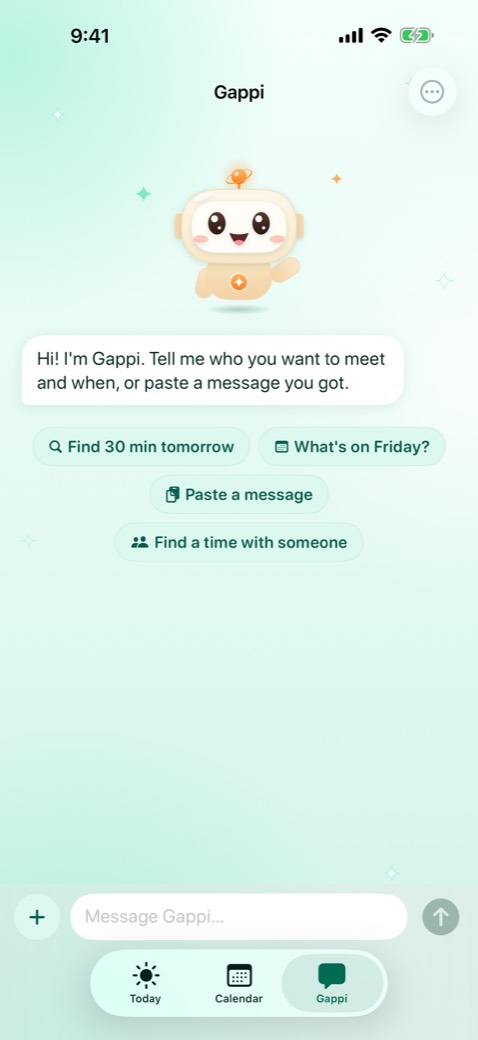
New requests on Today, your schedule in Calendar, and Gappi when you want to ask for a time.
Your messages stay on your iPhone
Gappi works on your iPhone. There is no account to create and nothing to sign in to.
- No account, no analytics, no ads, no tracking.
- Messages are understood on your iPhone. Gappi has no servers that see them.
- Automatic messages that are not about an appointment are not kept.
- Delete the app and its data is gone.
Questions
How much does Gappi cost?
Gappi is free.
Which iPhones does it work on?
Any iPhone with iOS 17 or later. On iOS 26, iPhones with Apple Intelligence understand messages even better. The optional Enhanced understanding download needs an iPhone with 6 GB of memory.
Can Gappi read all my messages?
No app can read your chats on its own. You decide what Gappi sees: a Shortcuts automation for Messages, chat notifications on iOS 27, or a message you share or screenshot. Automatic messages that are not about an appointment are dropped right away.
Does Gappi send replies for me?
No. Gappi drafts the reply and opens your chat app with it. You check it and press send.
Which calendars does it use?
Any calendar on your iPhone, such as iCloud, Google or Exchange. Gappi reads them only to find free time and only adds the appointments you confirm.
Which languages does it understand?
English, Vietnamese and Indonesian, in the app and in the messages it reads.